 Sign in with Google
Multi-account inbox
Comments and mentions from multiple accounts land in one list, with Unanswered, Replied, Solved, and Closed statuses.
Free plan for 1 Threads account
Connect your business Threads accounts, share conversations across your team, escalate cases to other teams, and track how fast customers get a reply. No more switching between accounts in the Threads app.
No credit card needed. Upgrade to Pro anytime with a monthly invoice.
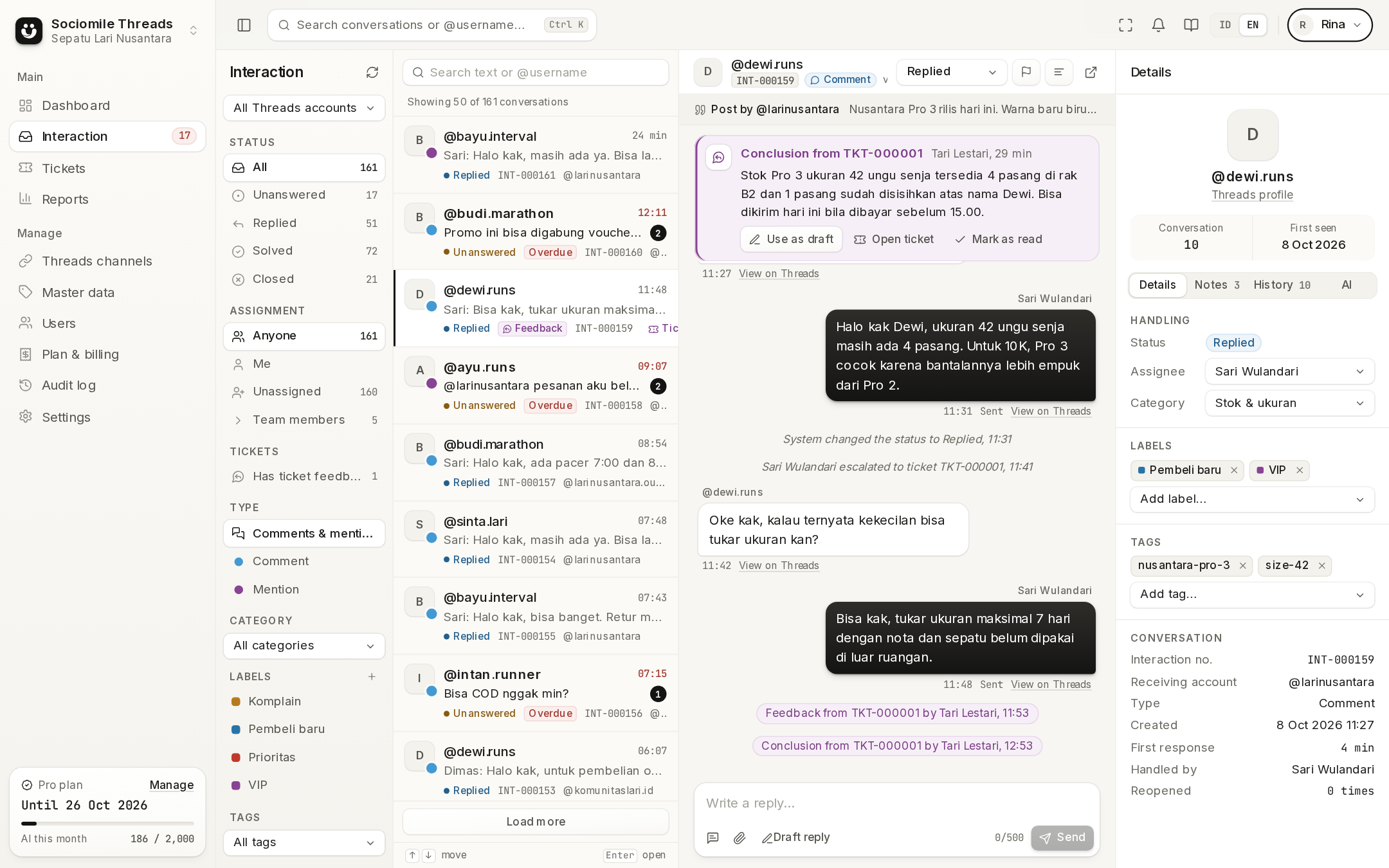
The Sociomile Threads inbox
Filters by status, assignment, and account on the left. The conversation in the middle. Contact profile, labels, internal notes, and related tickets on the right.
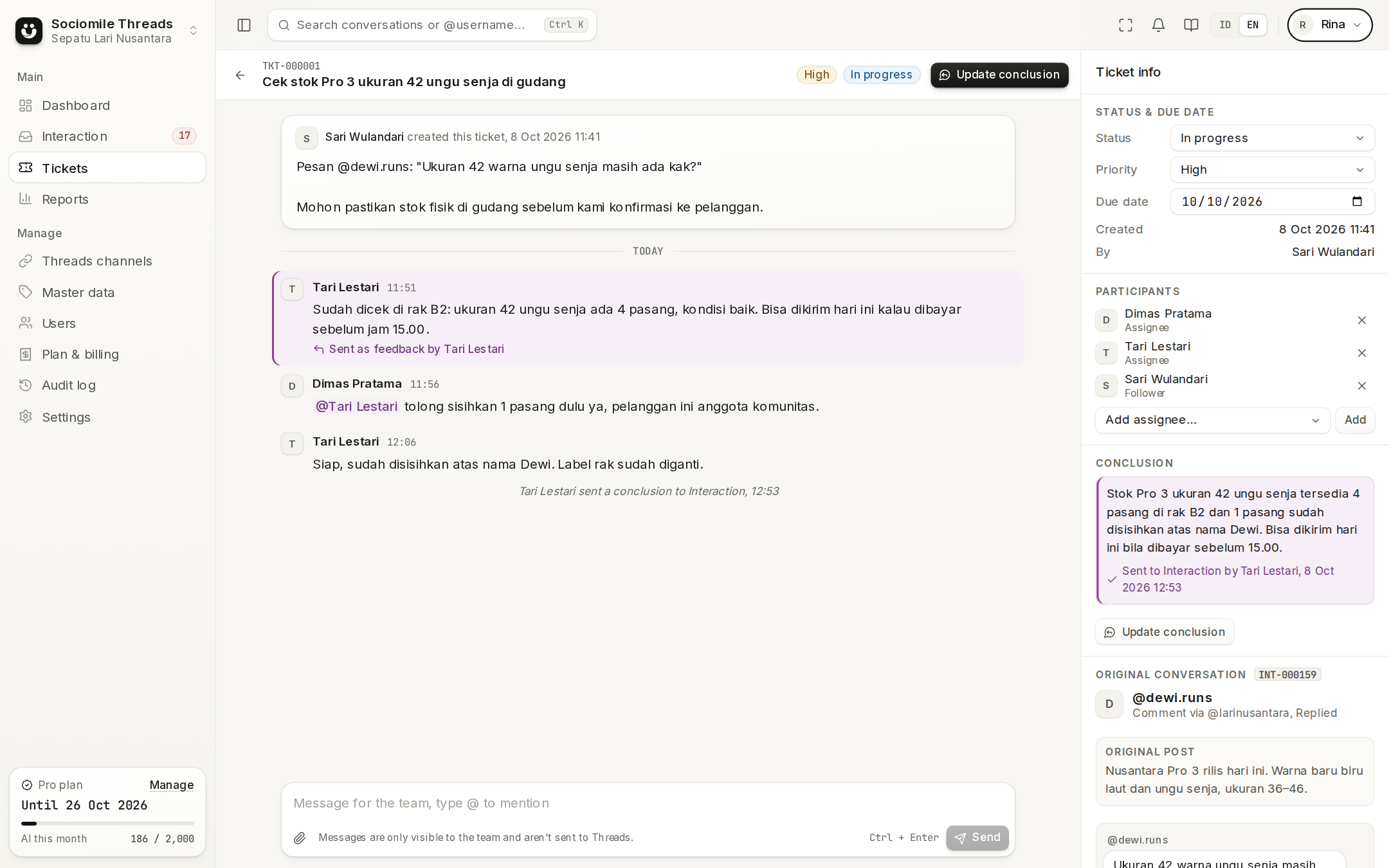
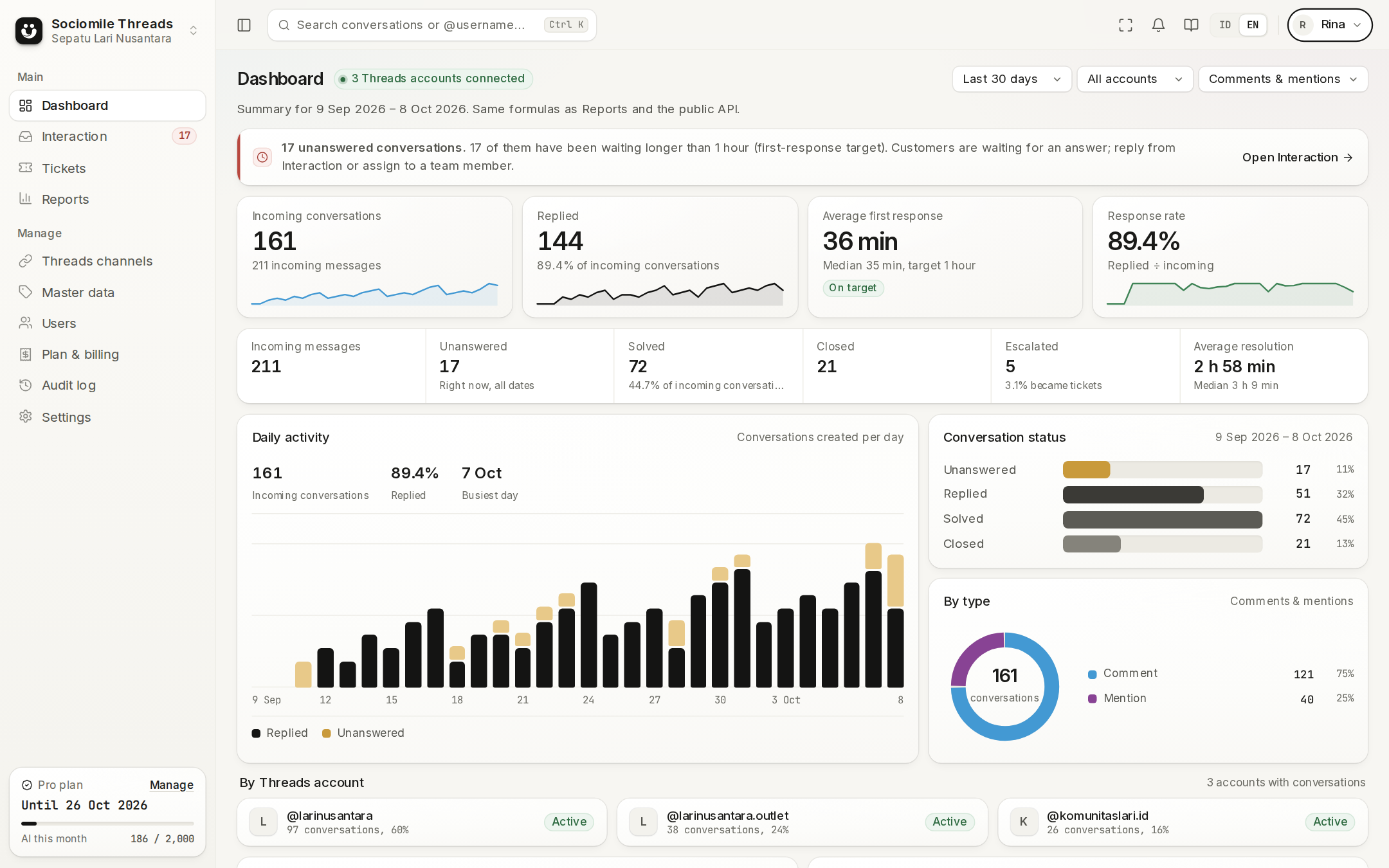
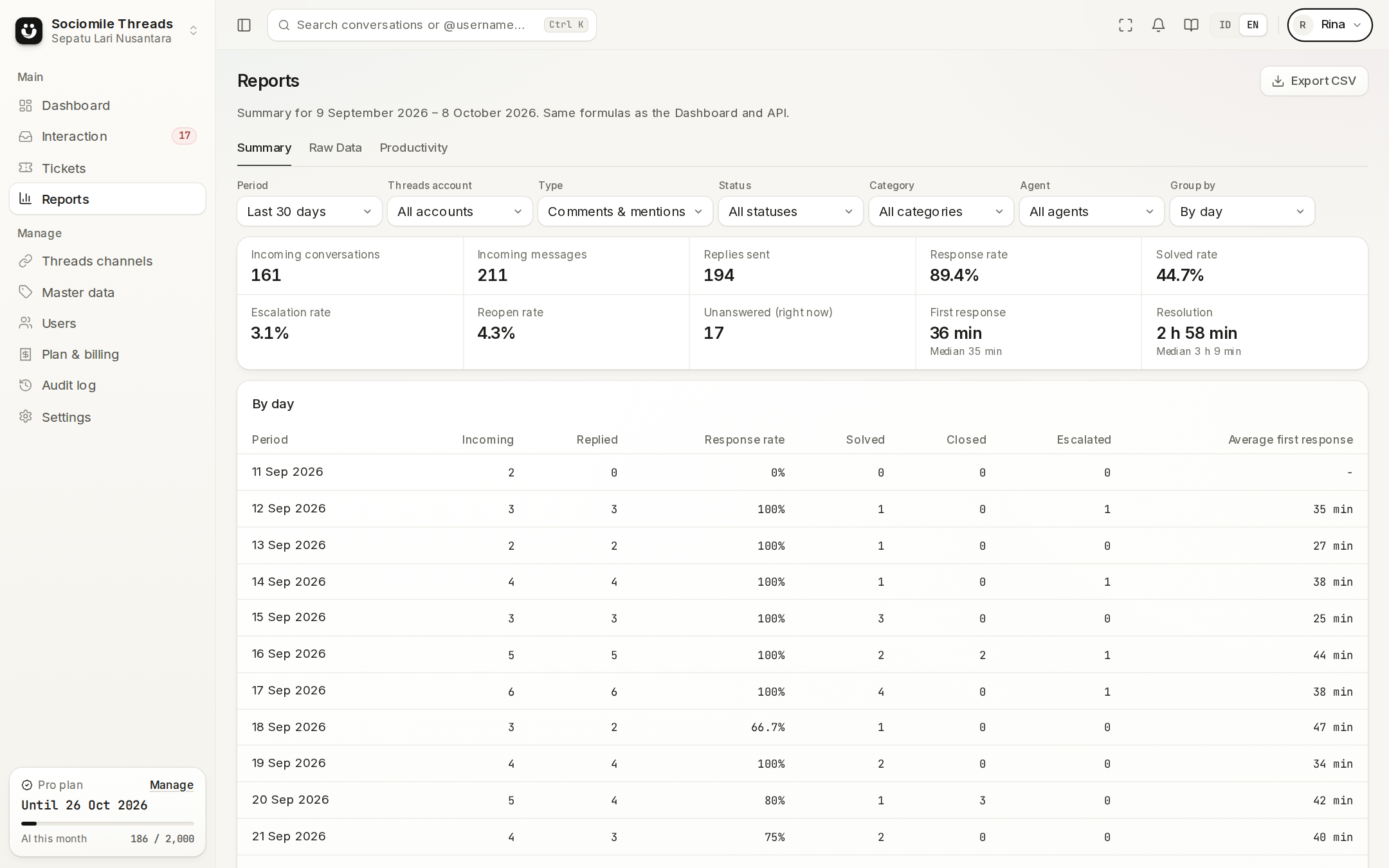
Three steps, nothing to install.
Create a workspace for your business or team. Everyone signs in with their Google account, no new passwords.
Approve access on the official Threads page. Comments on your posts and mentions of your account start arriving in the inbox.
Invite your team, share out conversations, escalate cases to tickets, and see the results on the dashboard.
Guide
New to Threads for customer service? Follow the step-by-step guide all the way to your first reply.
One place to capture, reply to, escalate, and report on Threads conversations.
Comments and mentions from multiple accounts land in one list, with Unanswered, Replied, Solved, and Closed statuses.
Text, images, videos, or several files at once as a carousel. Published straight to Threads, with the status tracked.
Cases that need another team become numbered tickets with internal discussion, member mentions, and feedback back to the agent.
Dashboard, raw data, summaries by period, and productivity per member. Everything exports to CSV.
Invite members, tick access per menu and action, then limit them to specific Threads accounts. Ticket agents only see their own tickets.
Google sign-in, Threads tokens encrypted with AES-256-GCM, separate data for every workspace, and every important action recorded in the audit log.
No more logging in and out of accounts or scrolling through notifications one by one. Every comment is logged, has an owner, and has a measured response time.
webhook.receivedThreads webhooks are captured instantly; a periodic sync makes sure nothing is missed.
conversation.assign()Assign to a team member, or automatically to the first agent who replies. Conversations past the response target are flagged right away.
reply.publish()Text, images, video, or carousels, with the delivery status tracked until published.
ticket.escalate()The warehouse or finance team discusses it in a ticket; the answer goes back to the agent as feedback.
report.summary()Dashboard, Reports, and the public API use the same formulas, so the numbers always match.
incoming webhook
Auto-sync every 5 minutes
Choose a plan
Paid monthly by invoice, never auto-charged. Start free and upgrade as your team grows.
For trying it out with one account
Rp0forever
No credit card
For teams
For CS teams with several accounts
Rp1,199/ month per workspace
Prices and quotas may change; what applies is always what the Plan & billing page shows when the invoice is created.
No. Sociomile Threads only captures comments on your account's posts and mentions of your account, and lets you reply to them. There's no posting, post scheduling, DMs, likes, or reposts.
No. The Threads API doesn't provide data from private accounts, so comments and mentions from private accounts aren't detected.
You approve access on the official Threads page; we never ask for your password. Access tokens are stored encrypted (AES-256-GCM) and can be revoked anytime from your Threads settings or by disconnecting the account in Sociomile.
Just don't pay the next invoice. Once the active period and the grace period have passed, the workspace goes back to the Free plan; your data is kept.
Threads allows 1,000 replies per 24 hours per account. Replies can be up to 500 characters.
Conversations and tickets are kept while the workspace is active, until the Owner deletes them or a data deletion request is made. Invoices and payment records are kept as financial records.
Sign in with Google, connect your Threads account, and send your first reply today.